
Download QuestTracker – Minimalist Task Management, Productivity, Simple To-Do List
Overview
QuestTracker is a minimalist task management application designed to streamline productivity through simplicity and intuitive design. Its core purpose is to help users capture, organize, and complete daily tasks without the distractions of complex features or cluttered interfaces. By focusing on essential functionality, QuestTracker addresses the common pain points associated with digital task management—overwhelm, time wasted navigating menus, and the risk of forgetting important items. The app is ideal for individuals seeking a no-frills solution for personal to-do lists, work assignments, or daily routines.
Target users include students, professionals, and anyone managing multiple responsibilities who values clarity and speed. The application’s clean layout and immediate usability make it accessible even to those unfamiliar with digital productivity tools. While the developer’s background is not publicly disclosed, the app’s consistent design philosophy suggests a focused effort on user experience over feature bloat. Real-world use cases include tracking daily goals, organizing study sessions, or managing small project milestones. In the broader app ecosystem, QuestTracker occupies a niche for lightweight, efficient tools that prioritize function over form, offering a refreshing alternative to feature-heavy productivity platforms.
Key Features & Functionality
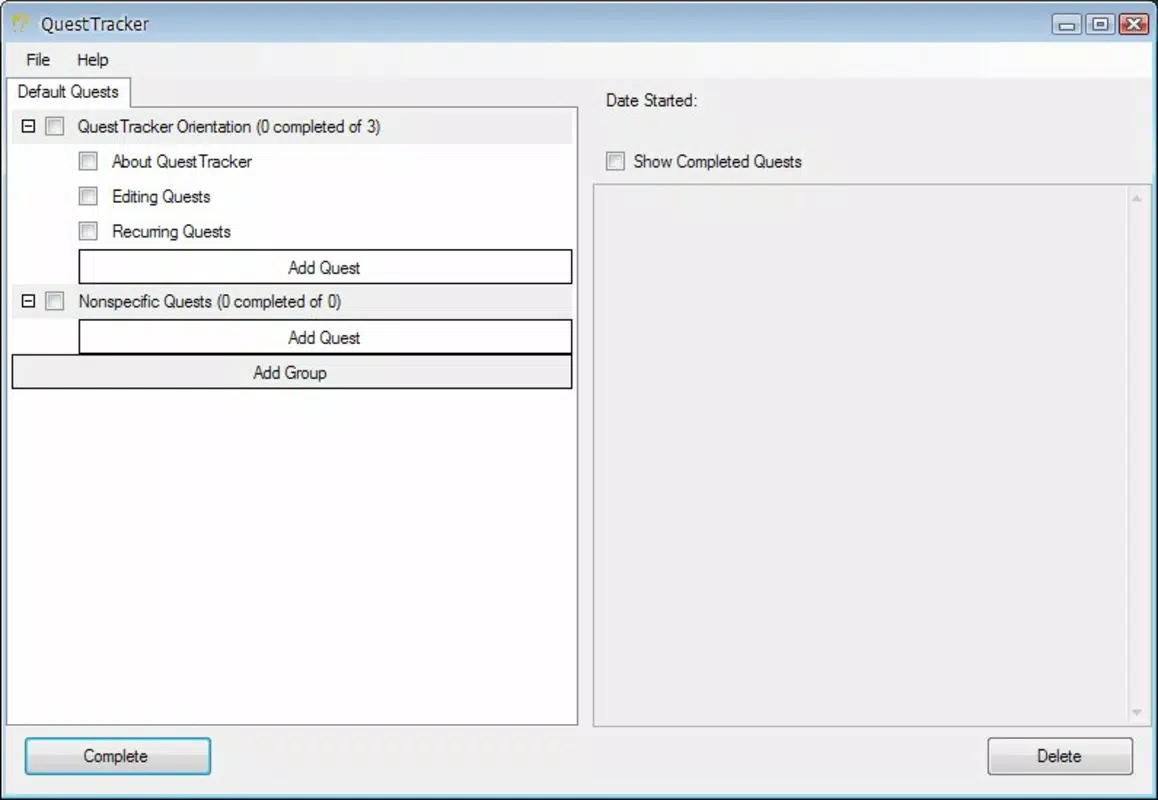
- Easy Task Entry: Tasks can be added quickly via a left-side sidebar, enabling users to jot down items in seconds. This design reduces friction in the task creation process, ensuring that ideas and responsibilities are captured immediately.
- Optional Descriptions: Each task supports a short description, allowing users to add context or specific instructions. This feature enhances clarity, especially for complex or multi-step tasks.
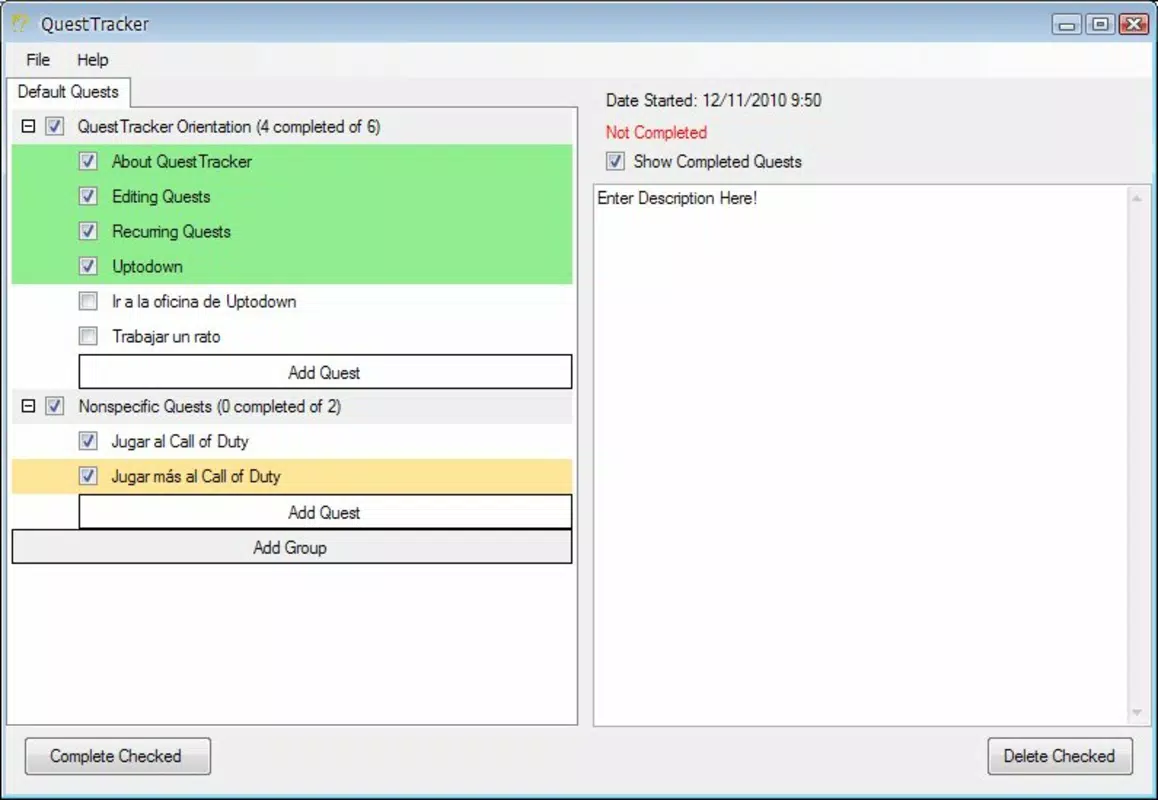
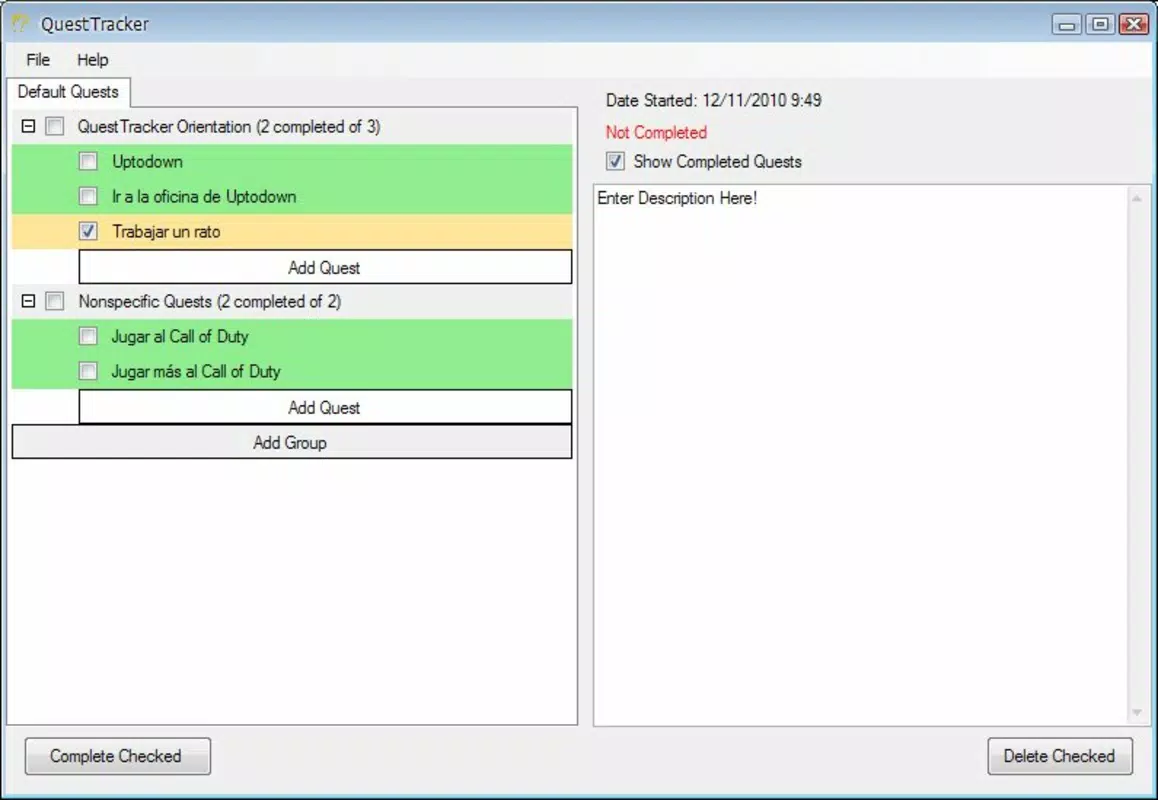
- Visual Completion Indicator: Completed tasks are marked with a green tick, providing an immediate visual cue. This simple feedback loop reinforces progress and helps users quickly assess their current workload.
- Incredible Simplicity: The interface avoids unnecessary elements, offering only core functions. This design philosophy minimizes cognitive load and supports rapid task handling.
- Fast Handling: The app is optimized for speed, allowing users to add, edit, and check off tasks with minimal taps. This efficiency supports consistent use throughout the day.
For example, a student might use QuestTracker to list study topics with brief notes on key concepts. A professional could track daily deliverables, marking each as complete upon finishing. The app’s minimal structure ensures that users remain focused on the task at hand, not the tool.
Interface, UX & Performance
QuestTracker features a clean, uncluttered interface with a left-side sidebar for task input and a central list for viewing all items. The visual style emphasizes legibility and simplicity, using neutral colors and consistent spacing. Navigation is straightforward: tasks are added, viewed, and checked off with minimal interaction. The layout supports one-handed use and quick access to core functions.
Although the developer did not list formal performance metrics, the app’s design suggests responsiveness across a range of devices. Users can expect smooth transitions and instant feedback when marking tasks as complete. Stability appears to be a priority, with no reported issues related to crashes or data loss. The app maintains consistent behavior during typical usage patterns, supporting reliable task management over time. While specific performance benchmarks were not provided, the emphasis on speed and simplicity implies efficient resource usage, making it suitable for older or mid-tier smartphones.
Platform Compatibility & Technical Requirements
QuestTracker is available on Android, with a file size of 2.5 MB. The app’s version and minimum OS requirements were not specified by the developer. Compatibility information was not fully disclosed, so users should verify system requirements directly through the app store. The small file size indicates low storage impact, making it accessible even on devices with limited space. Although the developer did not list formal performance metrics, the app’s design suggests compatibility with a broad range of Android devices, including older models.
Pros and Cons
Pros
- Minimalist design reduces cognitive load and enhances focus.
- Fast task entry and completion support efficient workflow.
- Visual feedback upon task completion improves motivation.
- Low file size ensures minimal storage usage.
- Intuitive interface requires no learning curve.
Cons
- Specific technical requirements were not listed.
- Limited customization options may not suit advanced users.
- No cloud sync or backup feature was mentioned.
- Optional descriptions are limited in length, though not specified.
- Developer did not provide detailed update history or changelog.
FAQ
Is QuestTracker available for iOS?
The developer did not specify iOS availability. The app is currently listed for Android.
Does QuestTracker support task reminders?
Reminders were not mentioned in the provided information. The app focuses on task completion tracking without additional scheduling features.
Can I back up my tasks?
Backup functionality was not disclosed. Users should consider manual documentation if data persistence is critical.
Is QuestTracker free to download?
Price details were not provided. Users should check the app store for current pricing and availability.
How often is QuestTracker updated?
Update frequency was not specified. The developer did not provide a changelog or release history.
Final Thoughts
QuestTracker delivers a focused, no-nonsense approach to task management. Its strength lies in simplicity—removing distractions to help users stay productive. While it lacks advanced features like cloud sync or reminders, it excels in speed, clarity, and ease of use.
This makes it particularly valuable for users who prioritize minimalism and efficiency over complexity. For those tired of bloated productivity apps, QuestTracker offers a refreshing alternative. It’s not designed for team collaboration or multi-device access, but as a personal task tracker, it performs exceptionally well.
If you value a clean interface and rapid task handling, this app is worth trying.
Download QuestTracker now


